micro:bit Smart Hub Overview
Introduction
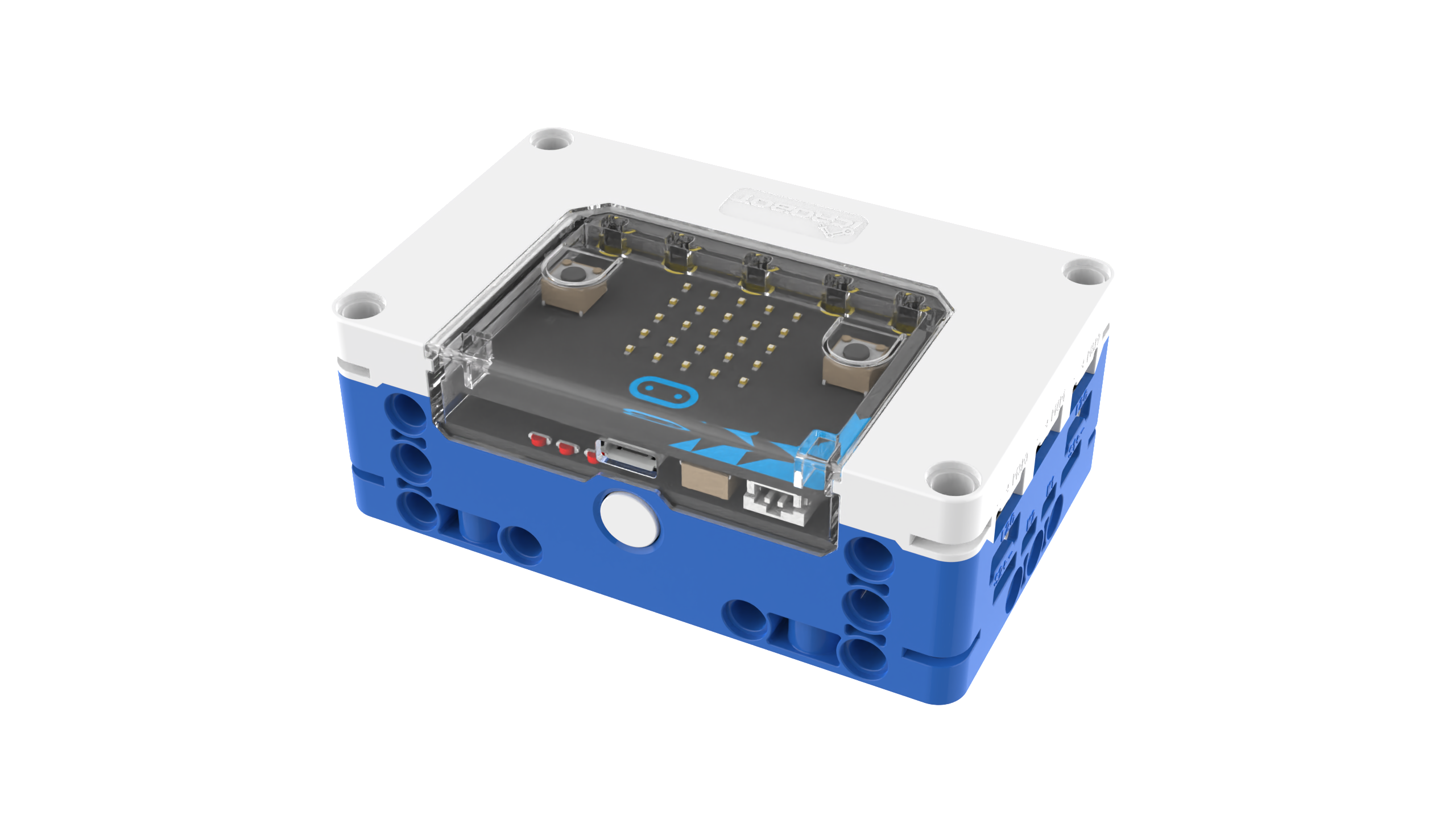
The micro: bit Smart Hub is a versatile expansion device designed for the micro: bit development board, offering a wide range of interfaces and high compatibility. It features 6 standard I/O sensor ports, 4 I²C ports, 4 DC motor ports, and 4 servo ports, all using the Grove open-source standard. The hub connects directly to the micro: bit board and is compatible with most Grove hardware. It seamlessly integrates with LEGO bricks, enabling students to create innovative STEM projects with micro: bit technology.
Structure
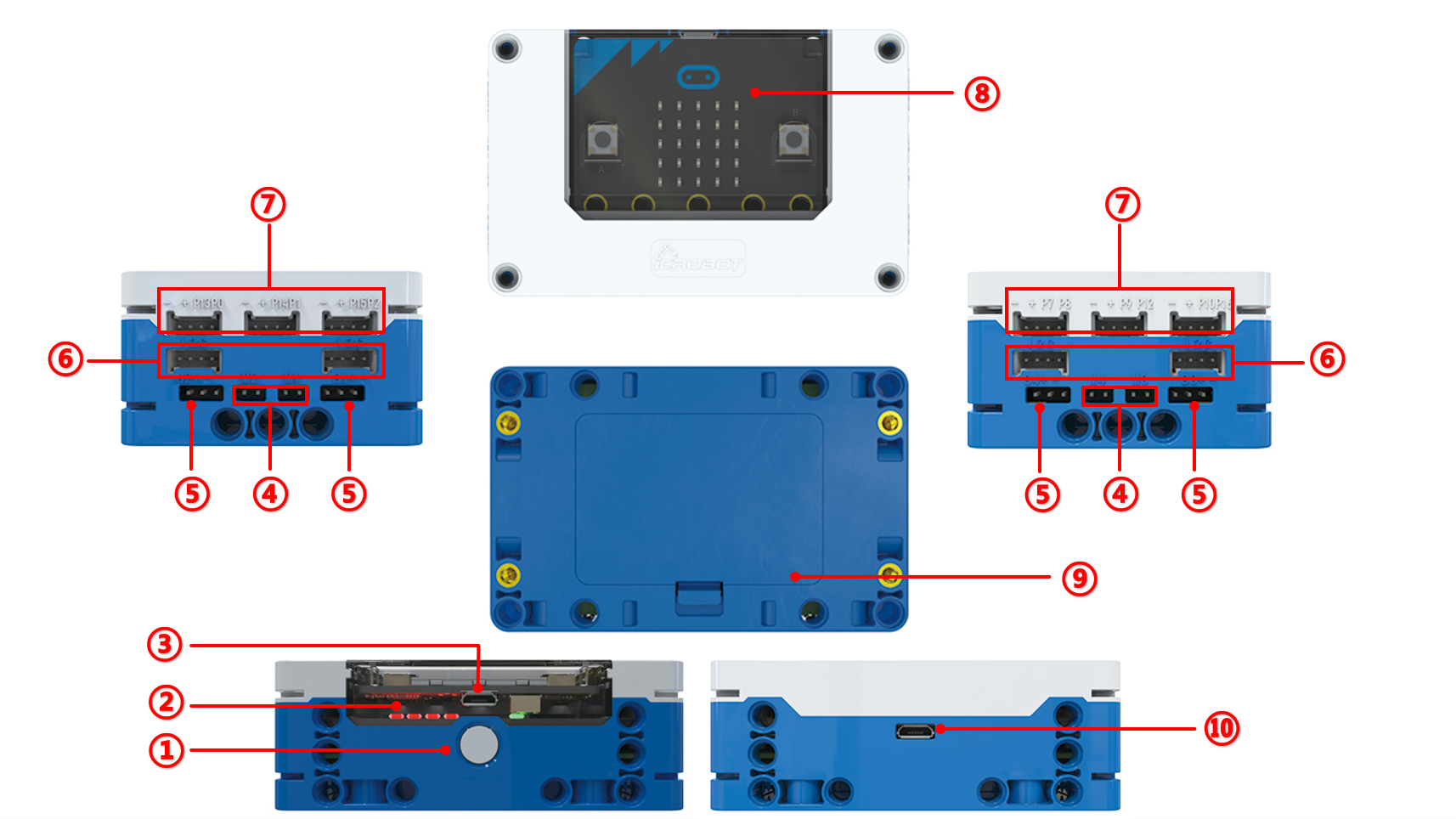
Schematic Drawing
No. |
Item |
Description |
|---|---|---|
① |
Power Button |
Press and hold for 1.5 seconds to turn on/off. |
② |
Battery Indicator |
Four red LEDs indicate battery status. All LEDs light up when fully charged, |
③ |
Program Download Port |
Use a micro USB cable to download the program. |
④ |
Motor Ports |
DC motor driver ports. |
⑤ |
Servo Ports |
Servo motor driver ports. |
⑥ |
I²C Ports |
Use Grove ports for I²C communication. |
⑦ |
I/O Ports |
Use HY2.0-4P ports to send/receive digital and analog signals. |
⑧ |
micro: bit Board |
Gold finger interface to connect the micro: bit board. |
⑨ |
Battery Compartment |
Built-in removable 7.4V 1000mAh Li-Po. |
⑩ |
Power Charging Port |
Use a microUSB cable to charge with 5V=1A. |
Hub adapted for V1.5 and above micro: bit motherboard. Using V2.0 and above micro: bit motherboard is recommended.
Specifications
Item |
Description |
|---|---|
Name |
micro: bit Smart Hub |
Code |
B0020001 |
Dimension |
88mm x 56mm x 32mm (L x W x H) |
Weight |
126g |
Material |
ABS |
Battery Voltage |
7.4V-DC( Li-Po ) |
Battery Capacity |
1000mAh |
Charging Limit |
5V=1A |
Usage Time |
Approx. 4H |
Main Control Board |
micro: bit V2 |
Ports |
6 I/O Ports, 4 I²C Ports, 4 Motor Ports, 4 Servo Ports |
Port Voltage |
5V |
Compatible Software |
MakeCode,Micropython,Scratch, etc. |
Suitable Age |
6+ |
Compatibility |
LEGO |
Note: Data in this report is based on laboratory tests and simulated usage scenarios. Actual battery usage time may vary.
Usage
Interface connection
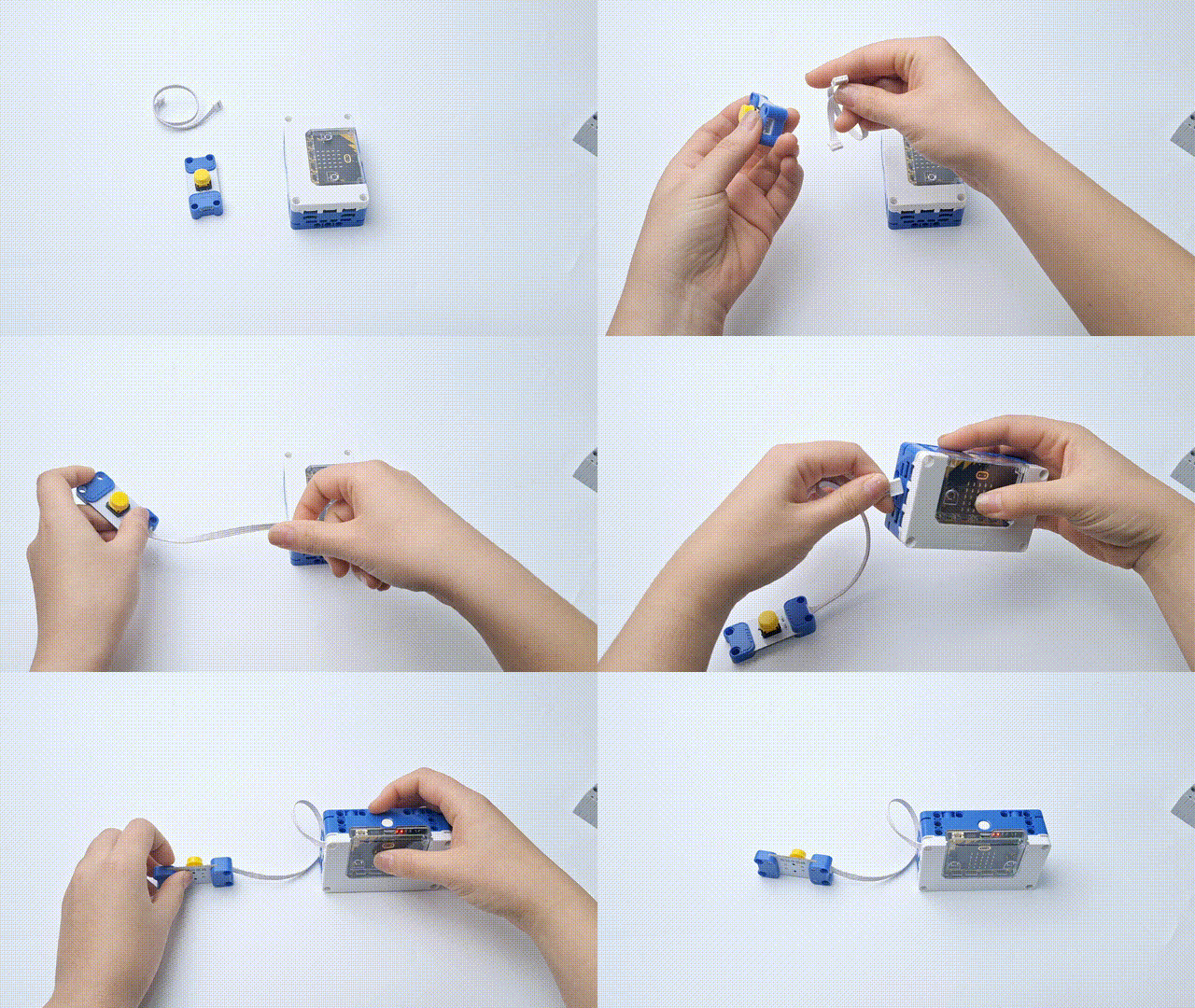
Standard I/O interface connection diagram
I²C interface connection diagra
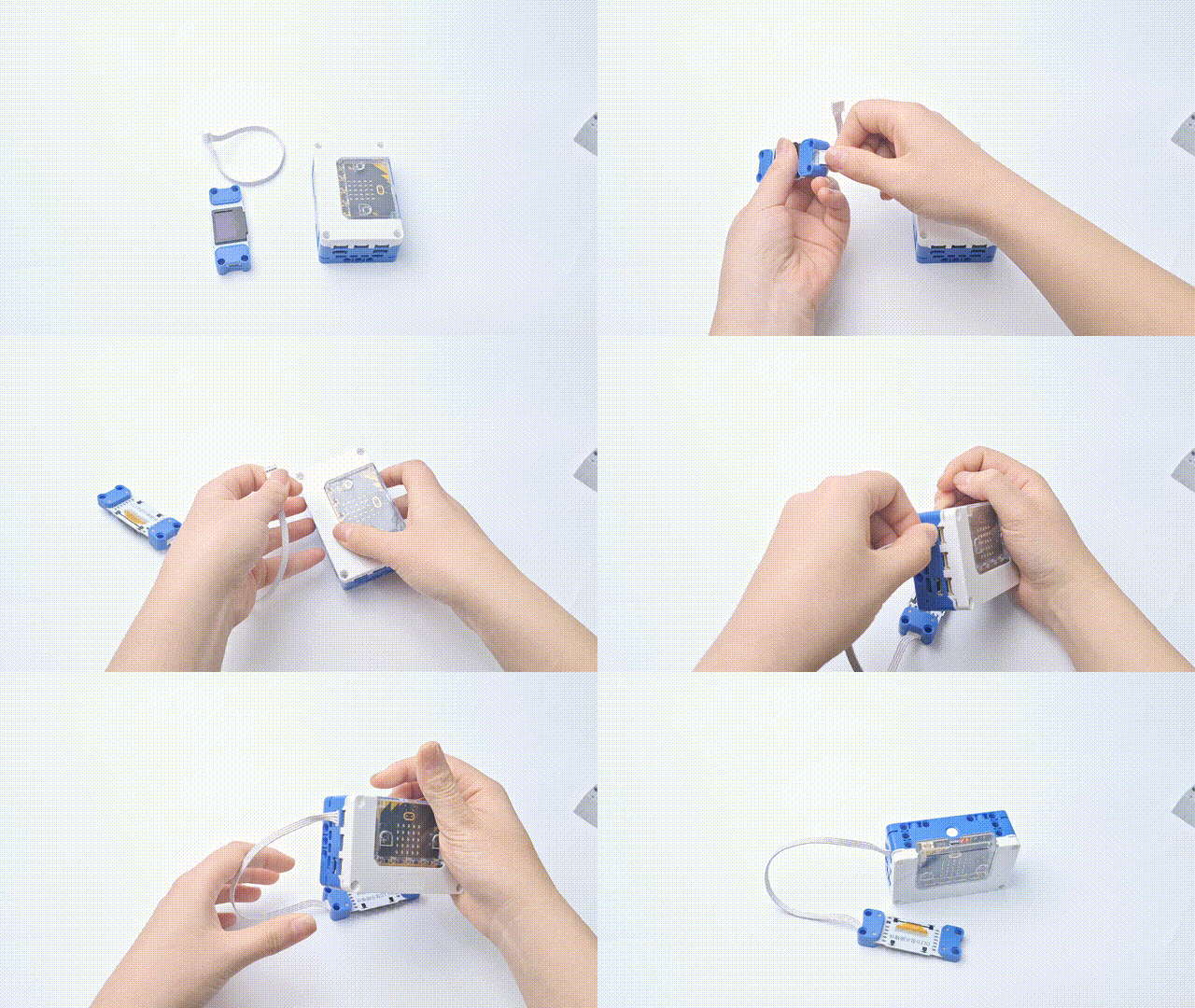
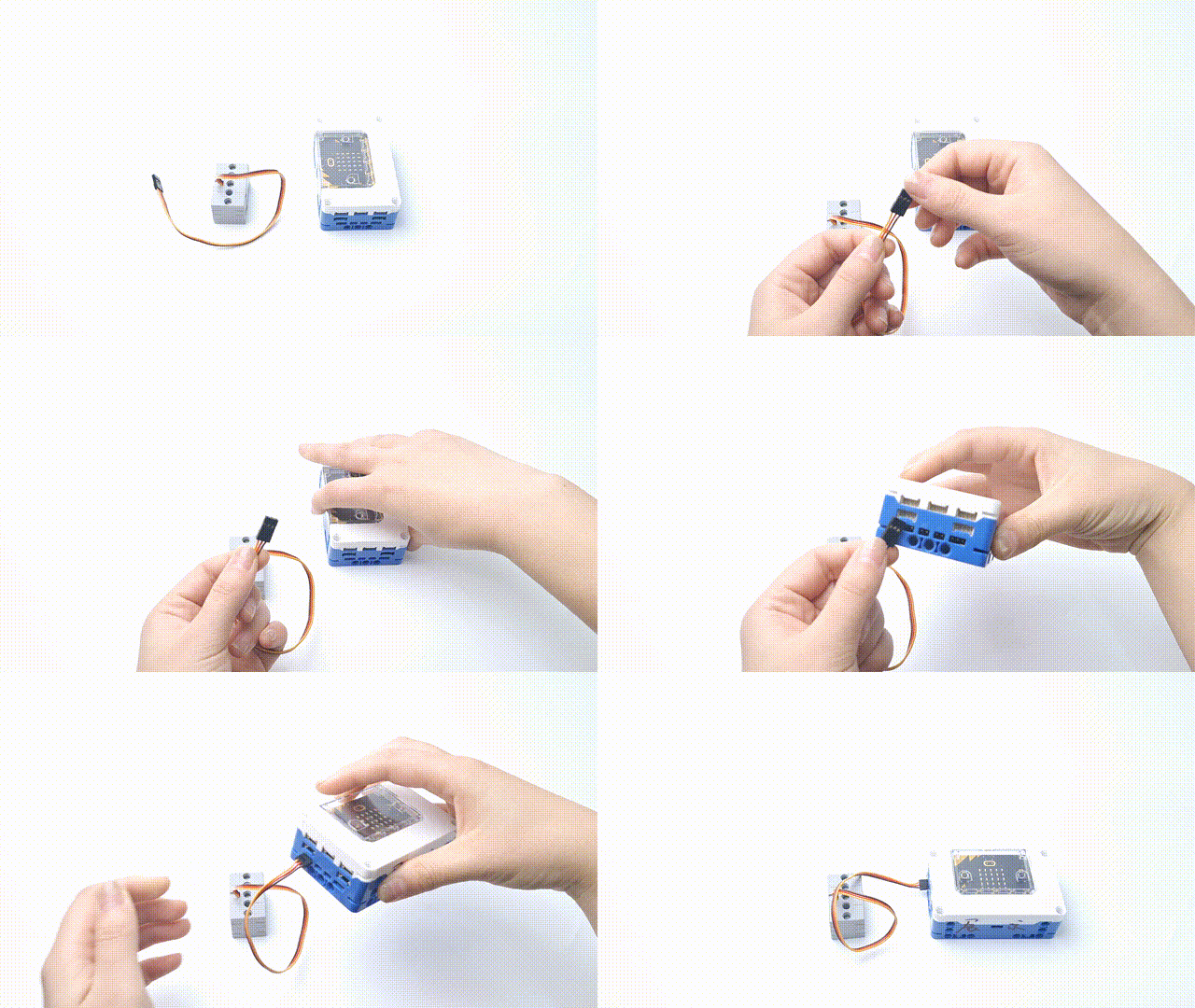
Motor connection diagram
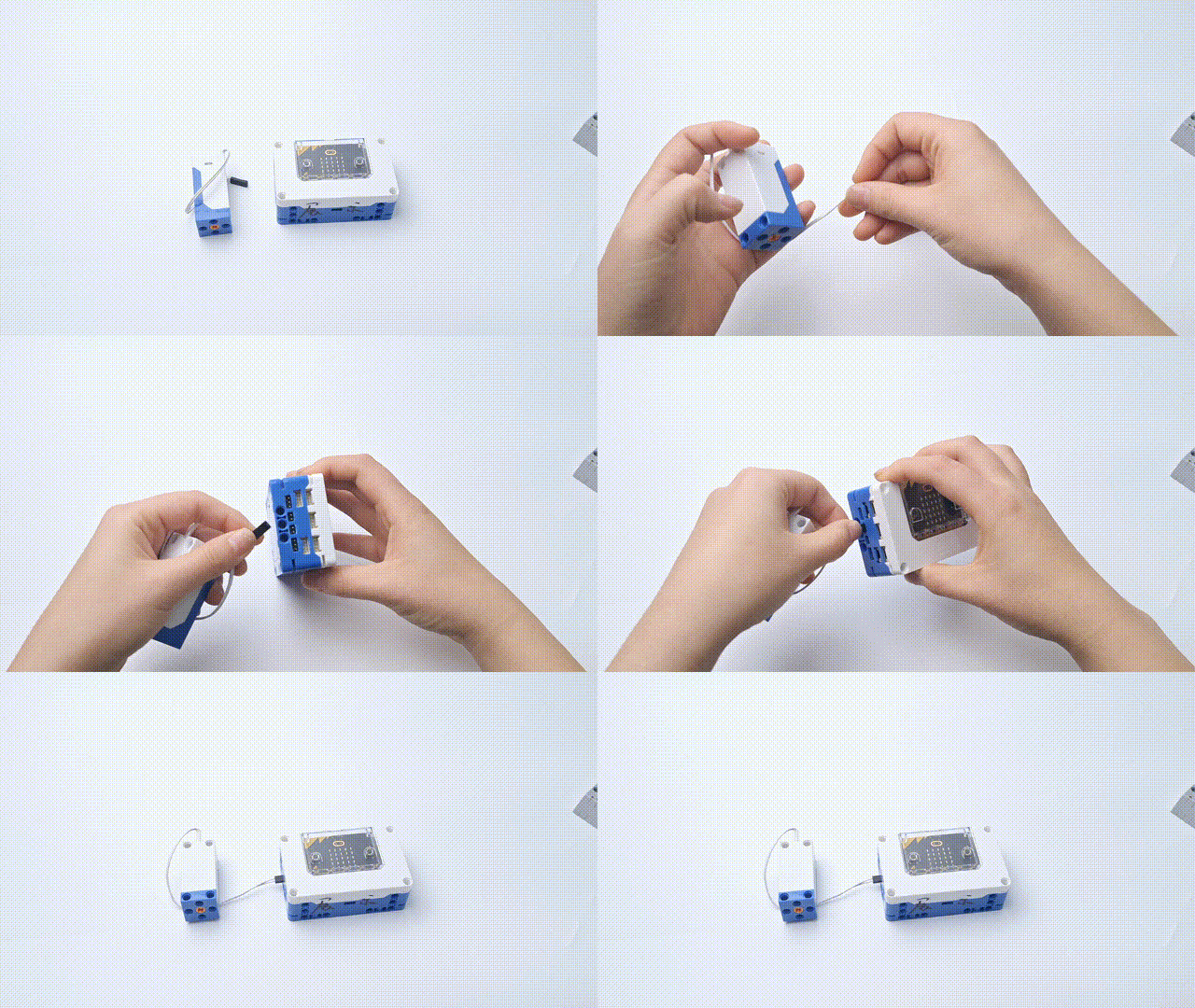
Geek Servo connection diagram
Note: When the Geek servo is connected, note that the joint metal sheet is on the same side as the micro: bit master control panel. Do not reverse it to avoid damage to the module.
Hub charge
Micro: bit hub to power the micro: bit mainboard and related equipment, Note that the hub has an independent charging port for charging, and the mainboard interface can not charge and power the hub.
Replacing the micro: bit
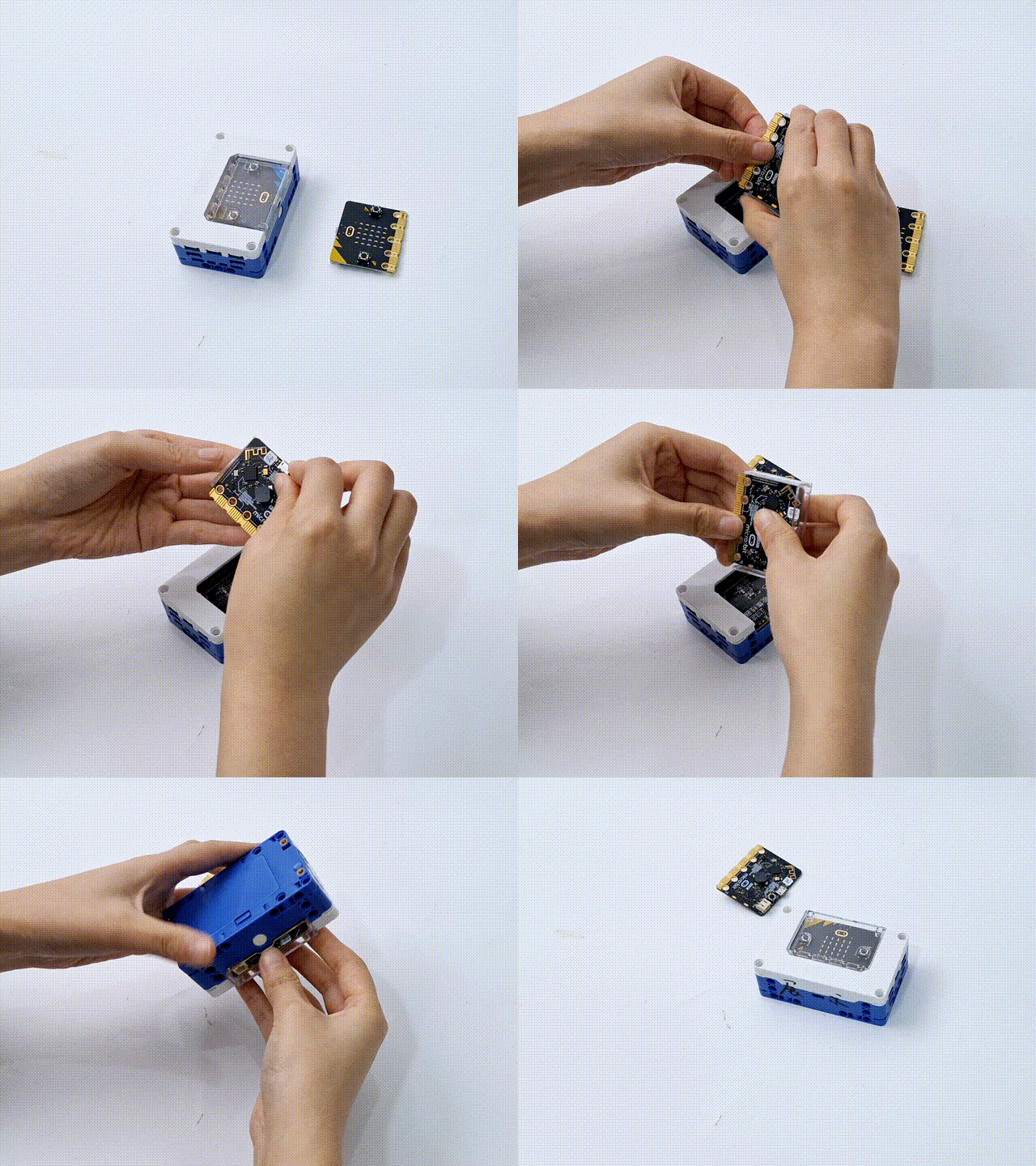
To replace the micro: bit mainboard, detach it with the protective case, remove the old board, and install the new one. Then, turn the hub upside down and reinsert the protective case.
micro: bit Introduction
|
|
|---|---|
micro: bit V2.0 |
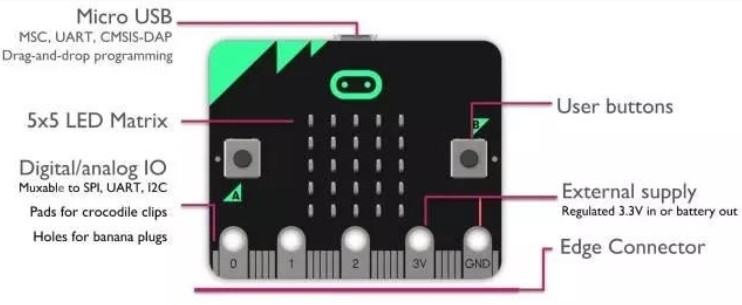
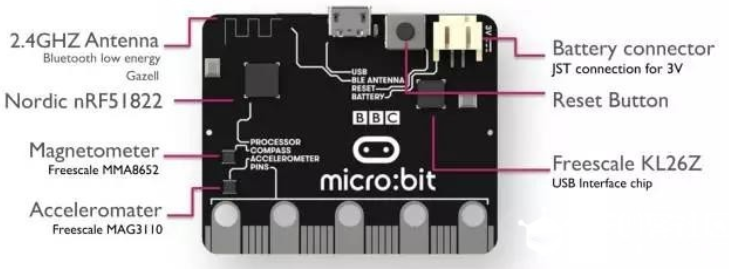
The micro: bit (BBC micro: bit) is a development board by the BBC for youth programming education. About the size of a credit card (4cm x 5cm), it features 25 red LEDs, two programmable buttons (A and B), and built-in sensors like an accelerometer and magnetometer. With Bluetooth, radio communication, and battery interfaces, it supports external devices. The micro: bit allows interactive projects by flashing LEDs to display letters, numbers, and patterns based on pre-programmed designs.