3. Firmware Upgrade
3.1. Servo Motor Upgrade Method
Firmware Upgrade Center:https://update.icrobot.cn/
|
|
|---|---|
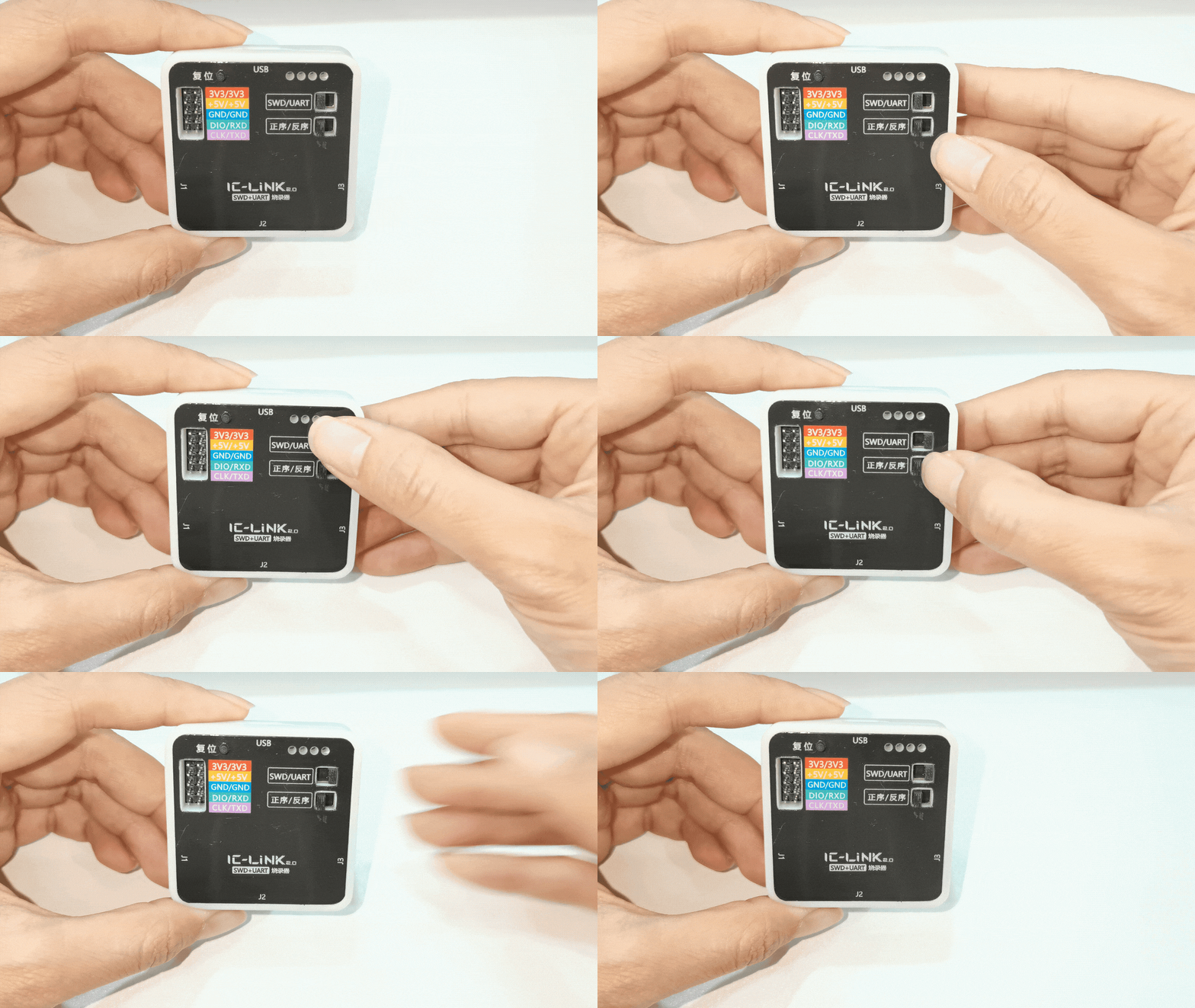
1. Prepare 1 ICLink 2.0, set the SWD switch to the right, and the forward/reverse switch to the left. |
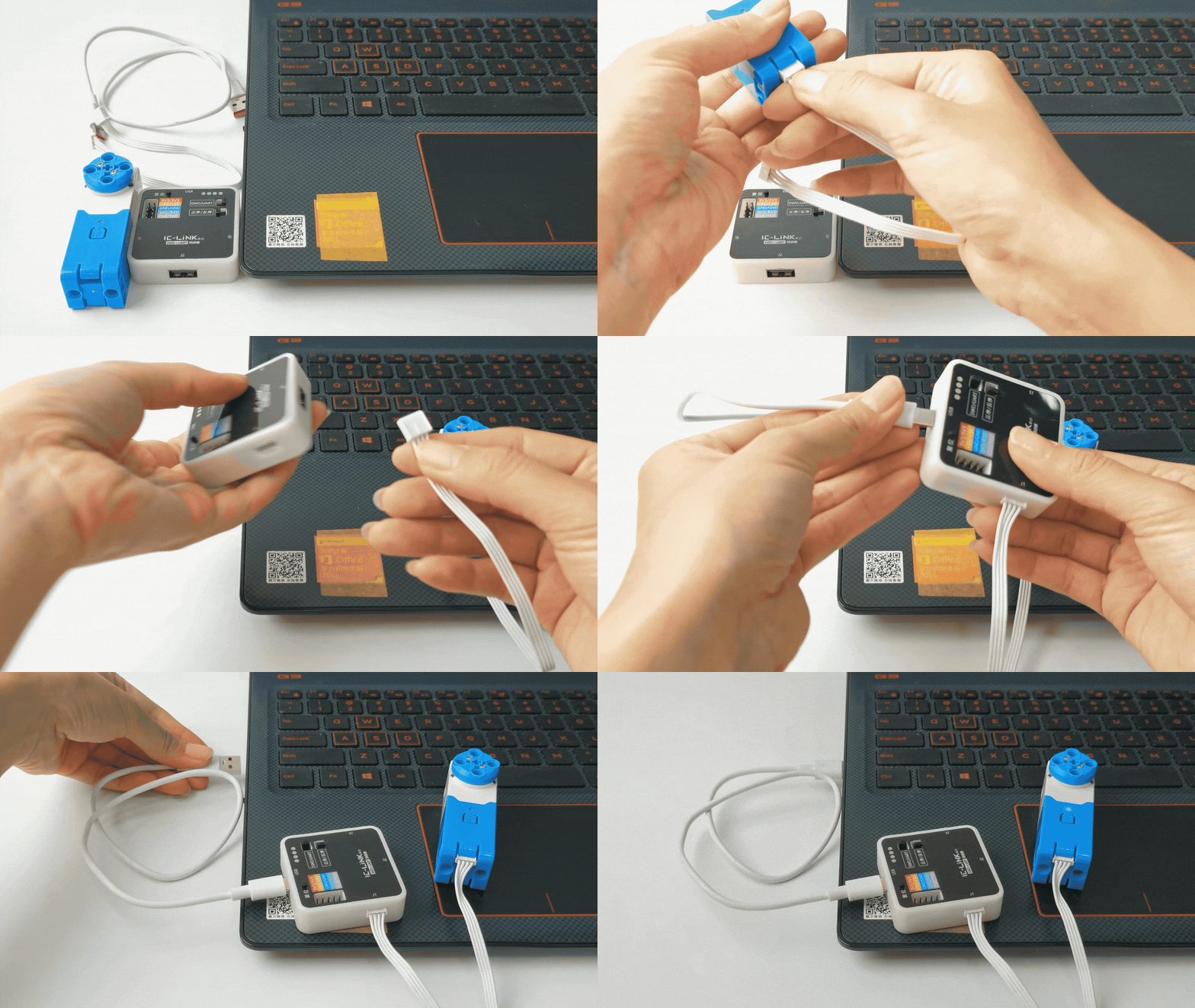
2. Use the Grove Cable to connect the servo motor to the J1 port on the ICLink 2.0, then connect the ICLink 2.0 to the computer. |
|
|
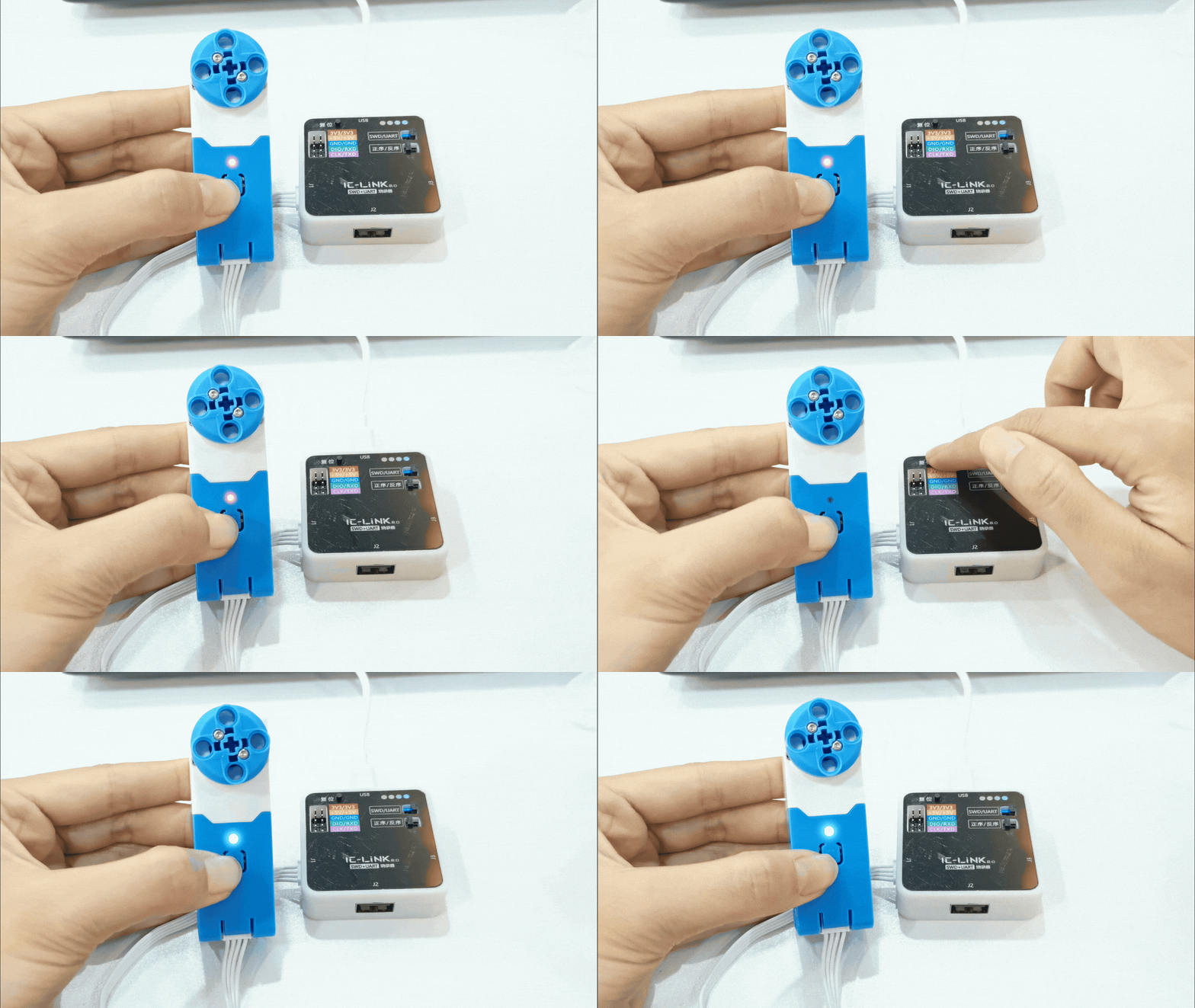
3. Press and hold the center button of the motor while simultaneously pressing the reset button on the ICLink 2.0. The motor indicator |
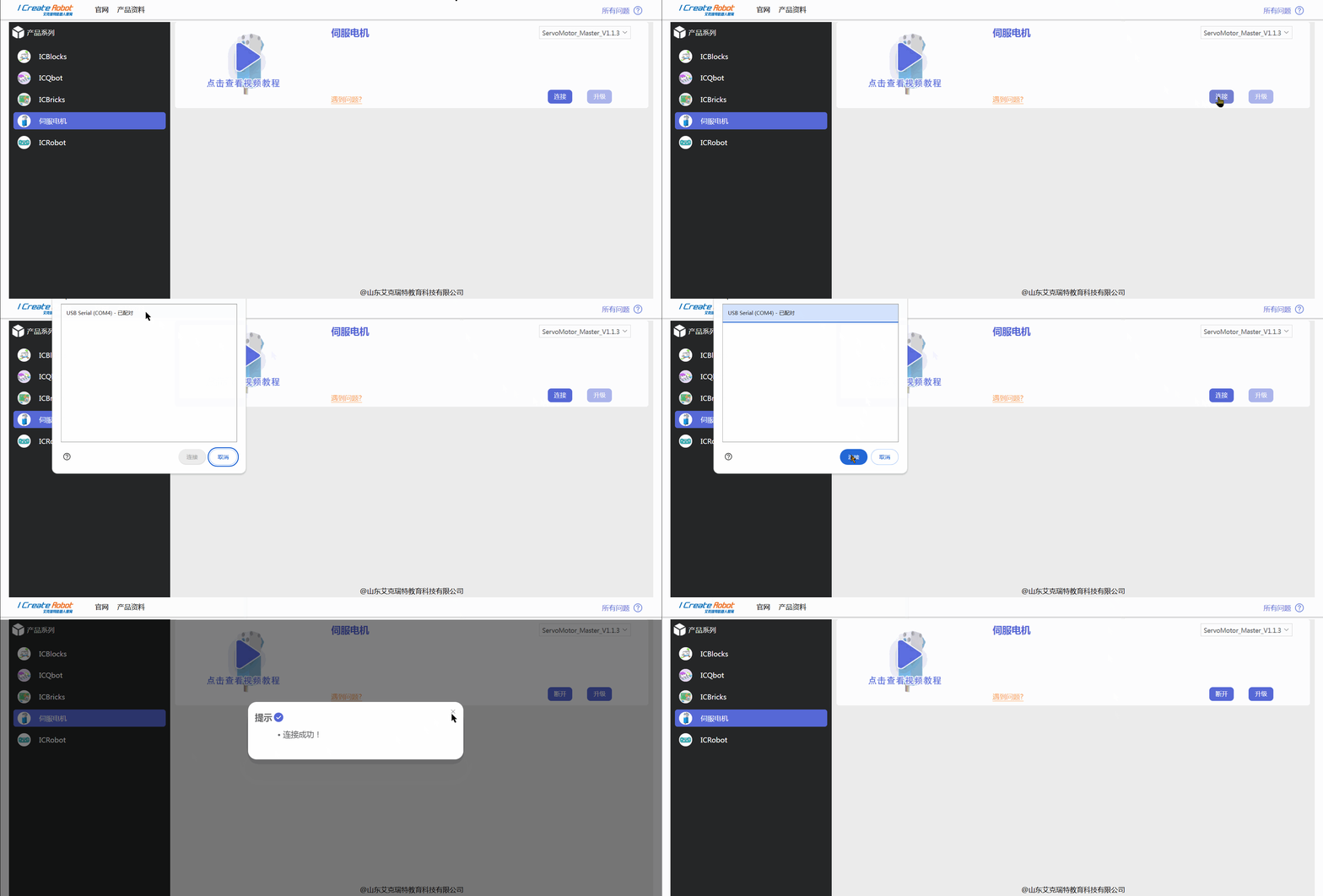
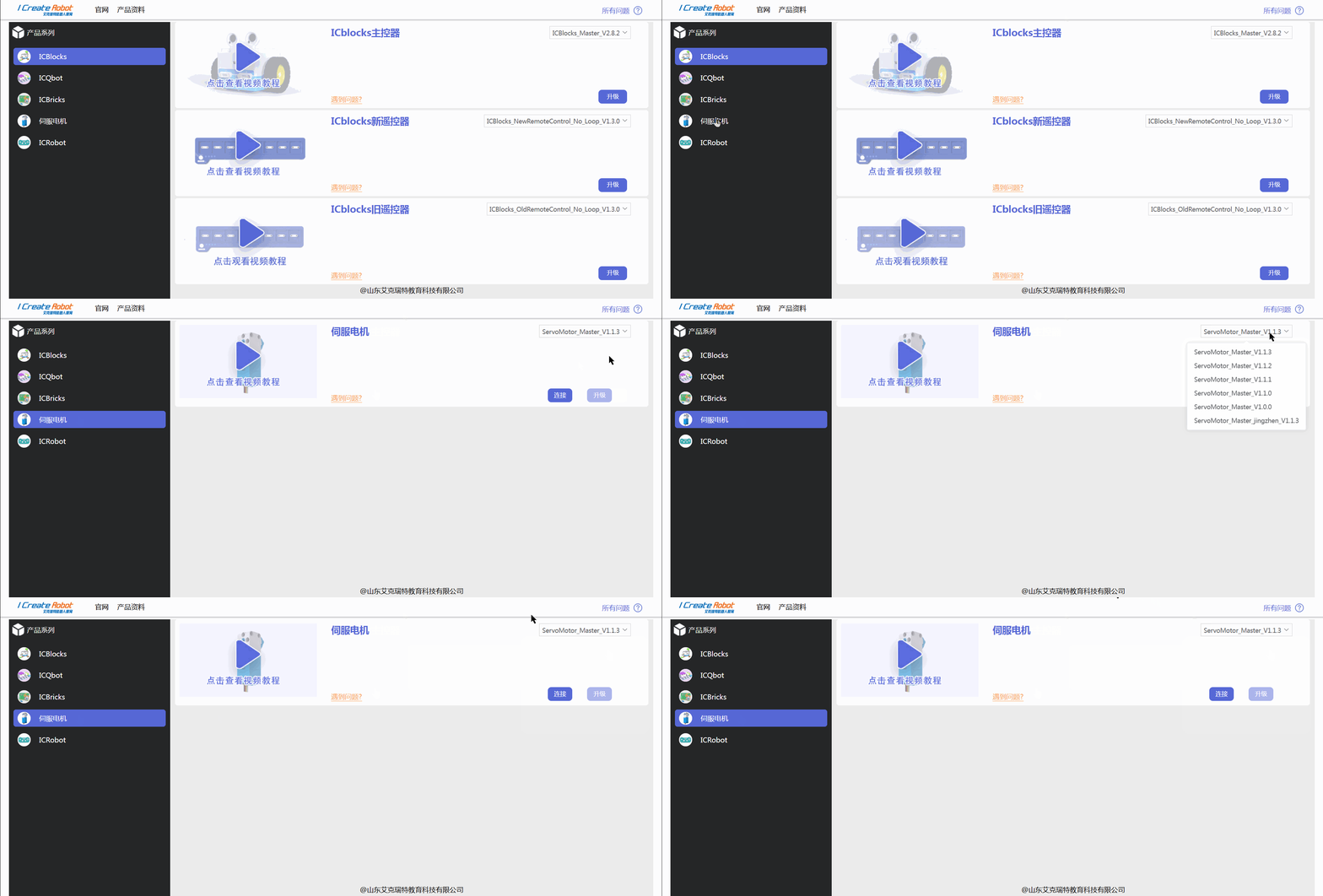
4. Open the firmware upgrade center, select the servo motor module, and then choose the firmware version to upgrade. |
|
|
5. Click “Connect,” select the motor’s serial port, and once the connection is successful, close it. |
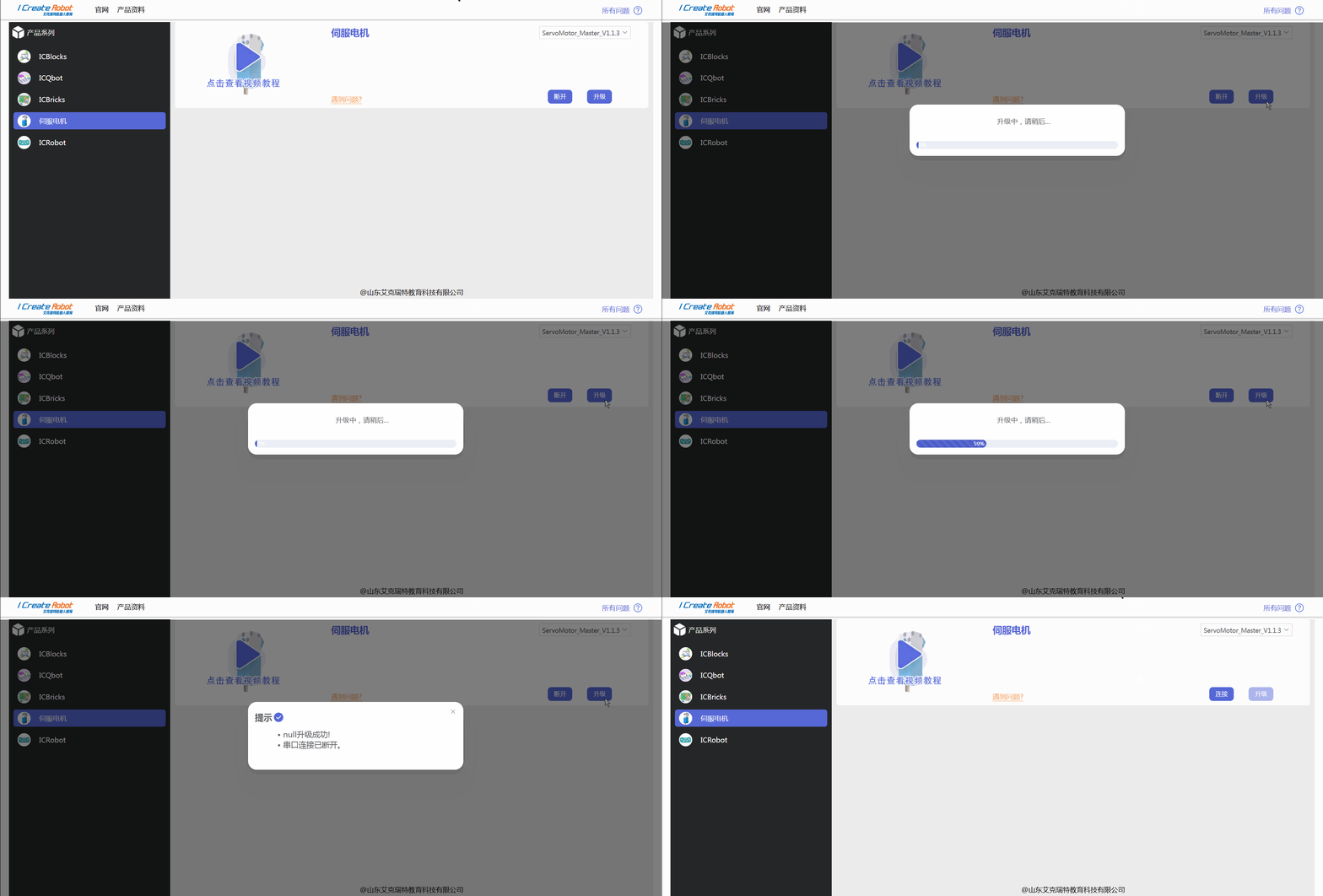
6. Click “Upgrade” and wait for the progress bar to complete. |
 )
)